


Table Of Contents
Can You See If Someone Checks Your Location on iPhone? What You Should Know
 Detectico Team
 Skilled techies mastering location data.
We all love our iPhones. They connect us to the world, store our memories, and help us navigate new cities. But that little GPS chip inside your device can also be a source of anxiety. It’s natural to wonder who has access to that data. Many people find themselves asking: can you see if someone checks your location on iPhone?
The short answer is: sometimes, but not always. iPhones have built-in privacy indicators, like that little arrow in the status bar, but they aren’t always crystal clear about who is looking. Sometimes it’s an app checking the weather. Sometimes it’s a friend checking your ETA. And sometimes, it’s something else entirely.
This guide is going to show you the real signs versus the myths. We will look at how location sharing works, how to know if someone is looking at your location, and what it actually means if you receive a message from a service like Detectico.
Can Someone Check Your Location on iPhone Without You Knowing?
In a perfect world, our phones would flash a giant red light and sound a siren anytime someone looked at our location. In reality, it’s a bit more subtle. So, can someone check your location without you getting a notification? The short answer is yes, sometimes it’s possible.
However, it is rarely 100% “invisible.” Unless you are dealing with highly sophisticated illegal spyware (which is rare for the average person), there are usually breadcrumbs. It really depends on the method being used. Are we talking about Apple’s official tools, third-party apps, or external links? Each method leaves a different footprint on your device.
How to Know if Someone Is Looking at Your Location?
There are a few different ways someone might be keeping tabs on your location. Before we share any details, it’s worth getting familiar with the most common methods out there – everything from simple location sharing and dedicated tracking apps to those sneaky third-party links.
Location Sharing via Apple Services (Find My, iCloud)
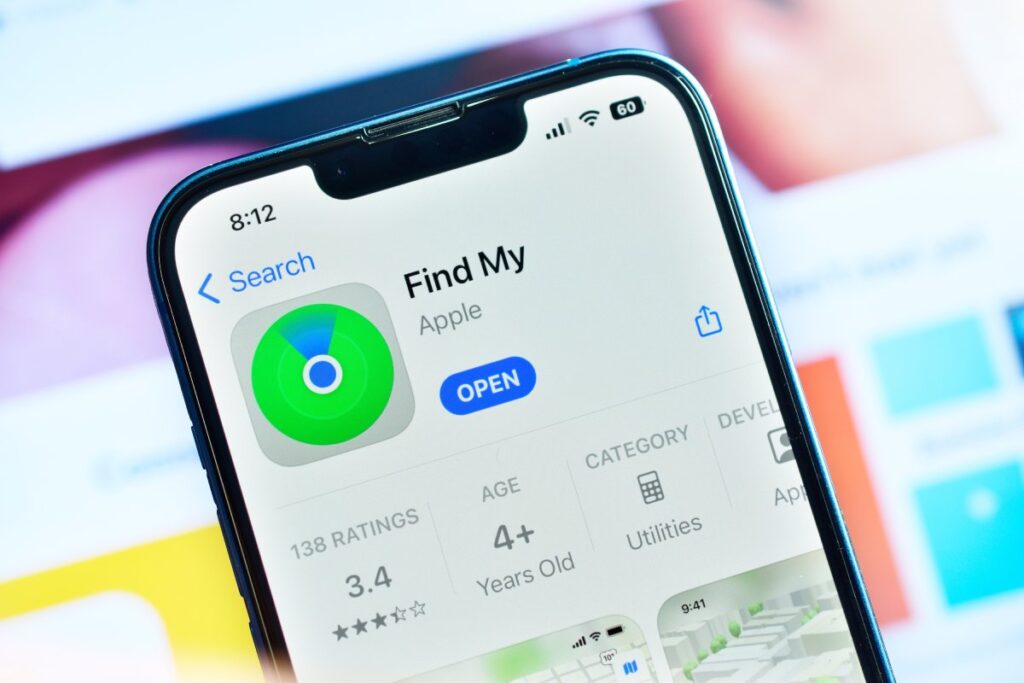
The most common way people share location is through Apple’s own ecosystem. This includes the Find My app and sharing location via iMessage. This is usually something you have set up willingly, perhaps with family members or close friends.
When you use location sharing through Apple, it is generally transparent. If someone opens the Find My app to see where you are, your phone doesn’t necessarily ping you with a text saying “Mom is watching you.” However, the location services icon (the small arrow) will usually appear in your status bar or control center.
If you are sharing your location indefinitely, that person can check it anytime. They don’t need to ask permission for every single check because you already granted it.
Third-Party Apps with Location Permissions
We grant permissions to apps all the time without thinking twice. Food delivery, ride-sharing, dating apps, and social media all want to know where you are.
When an app is set to “Always Allow,” it can access your GPS data even when you aren’t using the app. iOS is pretty good at managing this now. It will occasionally pop up a map showing you how often an app has tracked you in the background and ask if you want to keep allowing it.
However, if someone has access to your unlocked phone, they could theoretically install an app, grant it permanent location access, and hide it deep in a folder. In this case, the only sign might be your battery draining faster than usual or that persistent little arrow icon at the top of your screen.
Tracking via Links or Messages (No App Installed)
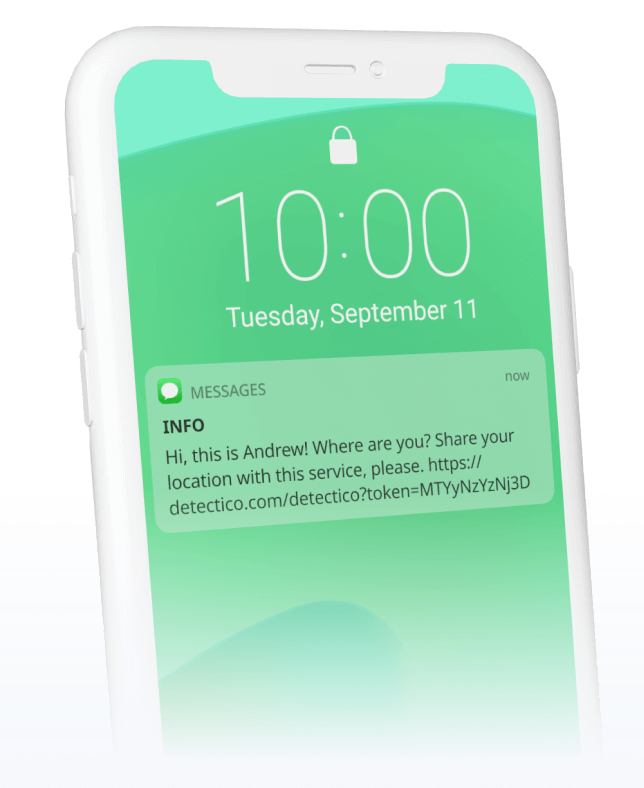
This is where things get different. Not every location check requires software installed on your phone. Sometimes, location can be determined through user interaction via a web browser.
This brings us to services like Detectico. These services don’t rely on being inside your phone. Instead, they operate through the web. The logic here is simple: location can sometimes be determined if the person holding the phone agrees to share it by clicking a link or interacting with a message. This is distinct from spyware because it requires an action from you. Rather than a silent background process, it’s an active event.
Does iPhone Notify You When Someone Checks Your Location
This is the big question. If a friend opens “Find My” to see if you’re home, does your phone buzz?
The honest answer is no. There is no universal alert system that says “John Doe just checked your location.” Apple designed these features for convenience, not necessarily for constant surveillance alerting. If you have agreed to share your location with a friend indefinitely, they can look at it without triggering a push notification on your screen.
However, there are indirect signals. How to see if someone checked your location on iPhone often comes down to looking for these subtle clues rather than waiting for a loud alarm.
The most reliable signal is the Location Services icon.
- A hollow arrow: An item could receive your location under certain conditions.
- A solid purple arrow: An item has recently used your location.
- A solid gray arrow: An item has used your location in the last 24 hours.
If you see the purple arrow appearing when you aren’t using maps or tagging a photo, it means something just checked your coordinates. It doesn’t tell you who, but it tells you when.
Signs Someone May Be Checking Your Location
Since the iPhone won’t send you a text notification, you have to be a bit of a detective yourself. How to know if someone is looking at your location usually means noticing patterns or unusual behavior.
Here are a few red flags to watch for:
- You receive an unusual message or link: Be careful if you get a text from a random number or a known contact with just a weird link – it might be a location request.
- Someone asks about your whereabouts without explaining how they know: If a partner or friend constantly knows you were at the coffee shop without you telling them, they might be checking your location through Find My or Snapchat Maps.
- Changes in Location Services settings: If you go into your settings and see an app you don’t recognize has “Always On” access, that’s a major warning sign.
- Active Find My sharing you don’t remember turning on? Open the “Find My” app and head to the “People” tab. If you see a name you don’t recognize, someone might have added themselves while your phone was unlocked.
What Is Detectico and How to See if Someone Checked Your Location on iPhone?
We talked about Detectico earlier, so let’s take a moment to explain what it actually is. There is a lot of confusion about phone trackers, with people assuming everything is a scary hacker tool. Detectico is different.
Detectico is a web-based service designed to locate a phone number. It’s often used to track down lost phones or find someone, as long as they’ve given their consent.
Here are a few things to keep in mind about how Detectico works:
- No app installations are required on your phone.
- It never hacks into the iOS operating system.
- There is no need to jailbreak your device.
- It simply works by sending a request via a text message.
It essentially bridges the gap between two people using standard web technology. This is simply a smart use of the GPS technology that exists in every modern smartphone.
How Does Detectico Work?
The process is very straightforward and relies on user interaction.
- Someone goes to the Detectico website and enters a phone number they want to locate.
- The system sends a text message to that phone number. This message usually contains a link.
- This is the crucial part. The location is not pulled from the phone secretly. The person receiving the message must tap the link and agree to share their location for the system to work.
If the recipient ignores the message, the location is not found.
If You Received a Detectico Message — What Does It Mean
So, let’s say you are sitting on your couch and you get a text message that seems to be from Detectico, or contains a link related to location. What is happening?
It means someone is trying to check your location. It could be a friend trying to find you at a festival, a family member worried because you aren’t answering calls, or someone trying to recover a lost device.
Here’s the thing:
- Just receiving the text does not reveal where you are.
- If you do not click the link, the sender gets nothing.
- It’s all up to you. If you want to be found, click away. If not, just delete the message.
No need to worry – it’s not a virus or malware, just a simple request! Think of it as a knock on your digital door. It’s completely up to you whether you want to answer.
Is This Legal and Safe?
When discussing tools like this, the question of legality always comes up. Is it okay to use these services?
Services like Detectico are built for real-life, personal situations. Think along the lines of parents keeping an eye on their teens, hunting down a lost phone with its SIM still inside, or just trying to coordinate a meetup with friends.
The legality generally hinges on consent.
- Intended for personal use: Using it to find your own lost device is perfectly fine.
- User responsibility: The person using the service is responsible for how they use it.
- Lawful use: Attempting to track someone without their permission by tricking them can have legal consequences depending on where you live.
Don’t worry, Detectico operates completely legally since the person you’re trying to find has to click on a link. You cannot be tracked by this method if you simply refuse to engage with the link.
How to Protect Your Location on iPhone
If you are reading this because you are worried about can you see if someone checks your location on iPhone and want to stop it, there are practical steps you can take right now. You don’t need to be a tech genius to secure your phone.
Here is a quick checklist to lock down your privacy:
Review Location Services Settings
Go to Settings > Privacy & Security > Location Services. Scroll down the list. Does that flashlight app really need to know your precise location? Probably not. Switch suspicious apps to “Never” or “While Using.”
Check App Permissions
Look for apps you don’t use anymore. If you downloaded a game three years ago and haven’t played it since, delete it. Less software means fewer potential leaks.
Review Find My Sharing
Open the Find My app and tap on the People tab. This list shows everyone who can see your location in real-time. If you see an ex-partner or a random acquaintance on there, swipe left on their name and hit “Stop Sharing My Location.”
Avoid Opening Suspicious Links
The number one rule of staying safe online: if you get a text from an unknown number with a sketchy link, just don’t click it. Even if it says “You won a prize” or “Urgent delivery notification.” Just delete it.
Awareness is more effective than paranoia. You don’t need to throw your phone in the ocean; you just need to know what settings to check.
Key Takeaways
Your iPhone does a lot of amazing things, but it also shares a ton of data. Knowing where that data goes is the secret to keeping your privacy in check.
Location checks don’t always trigger a pop-up, especially if you’ve already granted permission to an app like Find My. These checks can be initiated by Apple’s native apps, third-party software, or web links. For instance, a tool like Detectico sends a web link that requires you to click it to share your location; it cannot track you silently. If you get such a link, someone is asking for your location, and you can simply ignore it.
Ultimately, online safety is about control. Now that you know how to see if someone checked your location on your iPhone (or at least where to look for the signs) you can keep your location private until you decide to share it.
Detectico Team Skilled techies mastering location data.
Related posts
-
 March 3, 2026
 -
 December 30, 2025
 -
 December 10, 2025