


Table Of Contents

How Accurate Is Find My iPhone? Real-World Precision Explained
 admin
admin Millions of users rely on Apple’s location services every day, yet few understand the technology powering that blue dot. The question – how accurate is Find My iPhone – does not have a single answer. It depends on where you are, what satellites are overhead, and how many Wi-Fi routers are nearby.
Ever wondered how the Find My feature actually finds your stuff? This article pulls back the curtain on the technological trio – GPS, Wi-Fi, and cellular data – that team up to locate your device. We’ll also investigate why your map occasionally sends you on a wild goose chase and share some tricks to make it pinpoint your location with laser-like accuracy.

How Does Find My iPhone Work?
Apple uses a hybrid approach to determine location. The system does not rely on a single sensor. Instead, it aggregates data from three distinct sources to calculate coordinates.
GPS (Global Positioning System) is the primary source for outdoor tracking. Your iPhone connects with satellites orbiting the Earth to figure out its location. It’s super accurate in open spaces but can have a tough time with physical obstacles.
Wi-Fi positioning fills the gaps where GPS fails. Apple maintains a massive database of Wi-Fi networks and their approximate locations. When your iPhone detects nearby routers – even if you don’t connect to them – it cross-references their signal strength against this database to estimate your location.
Cellular towers provide a rough backup. By measuring the signal strength from nearby cell towers, the phone can estimate its general area. This method is the least precise, often covering a radius of several miles, but it works when GPS and Wi-Fi are unavailable.
How Reliable Is Find My iPhone in Various Situations
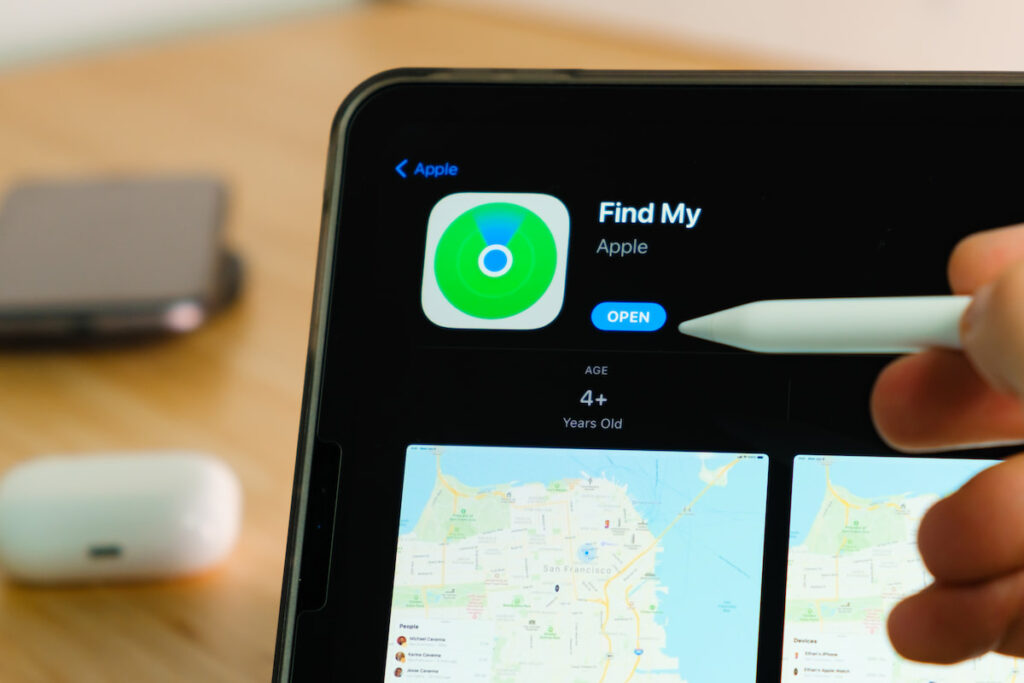
The environment dictates precision. How accurate is the iPhone location in practice? It ranges from “pinpoint perfection” to “vague estimation” depending on your surroundings.
Outdoors with clear skies: This is the ideal scenario. With a direct line of sight to GPS satellites, accuracy is high. My testing consistently shows location data within 5 to 10 meters (about 16 to 33 feet). If you drop your phone in a park, the map will likely show exactly which bench it is under.
Indoors: GPS signals cannot penetrate thick concrete or metal roofs effectively. Here, the phone switches to Wi-Fi positioning. Accuracy can drop to anywhere between 10 to 50 meters – good enough to point you to the right wing of a shopping mall, but don’t expect it to guide you to your favorite shoe store without a game of hide-and-seek.
Dense urban areas: Skyscrapers create “urban canyons” that bounce GPS signals, causing errors known as multipath interference. The blue dot might jump across the street or hover inside the wrong building. Expect accuracy to fluctuate between 20 and 100 meters in downtown environments.
Weak signal areas: Without a strong data connection, the phone cannot report its location to iCloud servers. You might see a “location available” message, but the data could be minutes or hours old.
Rural areas: Rural tracking relies heavily on GPS because Wi-Fi density is low. If the GPS signal is weak and cell towers are far apart, the accuracy radius can expand to several hundred meters.
How to Know If Find My iPhone Location Is Precise
You do not have to guess if the map is trustworthy. The interface provides visual clues about how precise is Find My iPhone at any given moment.
A blue dot usually represents the device you are using, while other devices appear as icons. If a large green transparent circle surrounds the icon, that circle represents the margin of error. The device is somewhere within that shaded area. A smaller circle means higher confidence.
Real-time tracking is distinct from historical data. If the map says “Now” or “1 min ago,” the location is fresh. If it says “2 hours ago” or “Old Location,” you are looking at where the phone was, not where it is.
A device marked “Offline” is not actively reporting. The map shows the last coordinates received before the connection died. This distinction is crucial when tracking a lost device that may have run out of battery.
Can Find My iPhone Be Wrong?
Technology is not magic. Can Find My iPhone be wrong? Absolutely. Misleading data usually stems from environmental factors or settings rather than system failure.
GPS Drift: This occurs when signal reflections confuse the receiver. You might be sitting on your couch, but the map shows your phone in the neighbor’s backyard. This is common in high-rise apartments where signals bounce off glass and steel.
Old Data: If a phone powers down or enters Airplane Mode, the map freezes at the last known spot. A thief could turn off the device, travel ten miles, and you would still be staring at the location where they stole it.
Wi-Fi Database Errors: Sometimes, a Wi-Fi router moves. If someone moves from New York to Chicago and takes their router with them, Apple’s database might briefly think any phone detecting that router is still in New York until the database updates.
Is Find My iPhone Inaccurate? Here’s How to Fix It
You can take specific steps to ensure your device reports the best possible data. If you often wonder how accurate is iPhone location history or real-time tracking, check these settings.
- Enable Wi-Fi and Bluetooth. You do not need to join a network for Wi-Fi to help. Leaving the radio on allows the phone to scan nearby routers for positioning. Bluetooth enables the “Find My network,” allowing other Apple devices to anonymously report your phone’s location even if it is offline.
- Check Location Services. Go to Settings > Privacy & Security > Location Services. Ensure the toggle is green. Specifically, check the “System Services” list at the bottom and ensure “Find My iPhone” is on.
- Turn off Low Power Mode. Battery saving measures reduce how often the phone communicates with GPS satellites and servers. For maximum precision, keep the battery fully charged or disable Low Power Mode.
- Set Date & Time to Automatic. GPS relies on precise timing. If your device’s internal clock is manually set and incorrect, it can desynchronize with satellites, ruining location accuracy.
Detectico vs Find My iPhone
While Find My iPhone is excellent for locating your own Apple devices, it has limitations when you need to locate someone else or a device that isn’t linked to your iCloud. Detectico fills this gap by offering location tracking via phone number, regardless of the operating system.
Find My iPhone requires the target device to be logged into your Apple ID or explicitly sharing location via iMessage. Detectico works differently. It sends a message to the target number containing a tracking link. Once the recipient clicks the link, their browser captures the GPS coordinates and sends them to you. This method is device-agnostic and does not require app installation.
| Feature | Find My iPhone | Detectico |
| Purpose | Device recovery & family sharing | Locating any phone number |
| Who can use it | Apple device owners | Anyone with a web browser |
| Requires interaction | No (if set up previously) | Yes (recipient clicks link) |
| Real-time tracking | Yes (continuous) | Yes (continuous) |
| Location detection | GPS, Wi-Fi, Cellular, Bluetooth | Browser-based GPS |
| Main use case | Finding lost/stolen iPhones | Locating friends/family ad-hoc/stolen iPhones |
Why Detectico Stands Out Among Phone Number Tracking Tools
Detectico offers flexibility that built-in apps cannot match. Does Find My show the exact location for an Android phone? No, it doesn’t work at all. Detectico bridges the gap between ecosystems.
The primary advantage is the lack of installation. You do not need physical access to the target phone to set it up. There is no software to install, no jailbreaking required, and no need to guess iCloud passwords.
This approach is ideal for one-off scenarios. Perhaps you are meeting a friend who uses Android in a crowded festival, or you need to verify a family member arrived safely at a destination, but they don’t know how to use location sharing. Detectico provides a simple, universal solution that works on everything from the latest iPhone to an old flip phone with a web browser.
FAQ
Does Find My iPhone Work Without the Internet?
Real-time tracking generally requires an internet connection to send data to Apple’s servers. However, the “Find My network” can locate offline devices by using Bluetooth signals to piggyback off nearby Apple devices that do have internet. If no other devices are around, you will only see the last known location.
How Often Does Find My iPhone Update Location?
Well, if your device is on the move and you’re glued to the Find My app, it tries to check in every minute – like an overachiever. But if it’s just chilling on a desk or conserving energy in Low Power Mode, it’s more laid-back, updating less often to stretch that battery life.
Is Find My iPhone Accurate Indoors?
How accurate is Find My location indoors? It’s less precise than your outdoor GPS. Instead of satellites, it uses Wi-Fi signals to get a fix on your location, which is a bit like playing “Marco Polo” with routers. The accuracy is about 10 to 50 meters, so it knows which building you’re in, but it might get the room wrong. Close, but no cigar.
Conclusion
Understanding how accurate Find My iPhone helps you interpret the data on your screen effectively. The system is a marvel of engineering, combining GPS, Wi-Fi, and cellular signals to provide location data that is typically accurate within 10 meters outdoors. However, physical barriers and signal interference can reduce this precision.
Reliability drops indoors and in dense cities. Users should look for visual cues like the green accuracy circle and timestamps to gauge confidence. How accurate is location sharing on the iPhone? It is only as good as the signal available to the device at that moment.
For situations where you need to locate a device outside your iCloud family – or a non-Apple device – Detectico offers a practical alternative. It bypasses ecosystem walls and requires no installation, making it a robust tool for ad-hoc location needs.
admin Related posts
-
 March 3, 2026
 -
 February 9, 2026
 -
 December 30, 2025