


Table Of Contents

How to Track Someone’s Location Via Text Message: 5 Simple Ways
 Detectico Team
Skilled techies mastering location data.
There may be times when you’ll need to find out someone’s location. Perhaps your child is one of the 10-15% students who practice truancy, and you caught them in a lie. Or maybe you have a feeling that your significant other is not exactly honest with you.
The good news is that you can learn how to track someone’s location via text. This article will teach you exactly how to do that.
Can You Tell Someone’s Location from a Text?
Tracking is easy, but it mostly depends on how you do it. In most cases, the simplest way to find their location is to ask them directly. They can send a link through Google Maps, WhatsApp, or iMessage. They’ll send the message directly if they have nothing to hide.
That said, there may be circumstances when they may be unresponsive, turn off their GPS, or overall avoid sharing. Sometimes, it is unintentional, but other times it’s not. Maybe you’re worried about your child or an elderly relative, or perhaps you believe your partner is dishonest.
In this case, there are several tools that can help you track them without their knowledge. In these cases, you simply need to ask them to open a link you sent via a text message. Below are the most popular ways to get location from text message.
How to Track a Text Message Link? 5 Best Methods
Here’s how to track someone’s location via a text message in five proven ways:
Method 1: Detectico – The Best Text Message Location Tracker
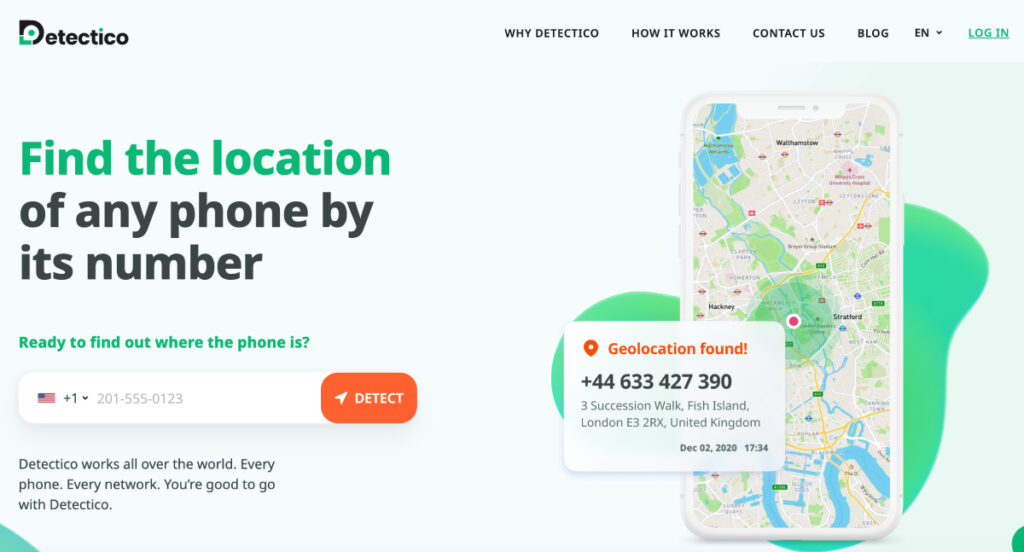
Detectico is an app that allows you to get mobile location by sending SMS, email, or a social media message. The app generates an individual link you can use for tracking. Once you send the link to them and they click it, their location appears immediately on the map.
The advantage of this online service is that you don’t have to install any software on your target’s phone. You just need a way to contact them and an Internet connection. Detectico lets you track multiple people at the same time, which is convenient if you have many kids to take care of. Tracking is done in seconds, especially if they constantly have their phone in their hands.
How to track someone’s location through text message using Detectico:
Tracking someone’s location can be done in less than a minute, depending on how quickly they respond. Here’s what you’ll have to do:
- Set up a Detectico account
- Go to the menu and click on “Location by Link”
- Click on the button for “Generate My Link”
- Send the link through an email or text message to your target
- Wait for them to click on the link
Their exact location will appear on the Detectico map the minute they click on it, just like a GPS. You can conceal it as something funny they should see, or perhaps even ask them directly. If they get defensive or refuse to click the link, this might be a red flag.

Method 2: Use Location Sharing on iMessage
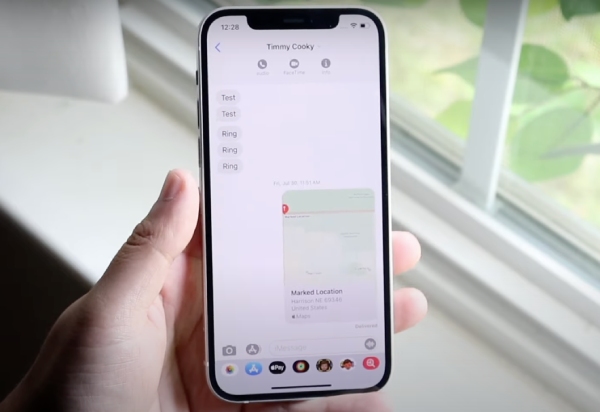
Apple’s messaging service iMessage allows users to share fixed and live locations in chats. It comes pre-installed on all iOS devices, so if someone has an iPhone like you, send them a tracking request directly through iMessage.
Here’s what you need to do:
- Open the Messages app on your iOS device
- Select a conversation with a person you want to locate
- Tap the “+” icon
- Choose Location, then select Request
- Add a text message (this step is optional)
- Send your request. When they accept it, you’ll receive their current location
That’s just one way how to track location of a text message on an iOS device. You can also use built-in trackers, which we’ll explain a bit later.
Method 3: Google Maps – Location Tracking
The Google Maps app bridges the gap between Android and iOS devices, allowing you to track locations without worrying about compatibility issues. It also lets you text link to find locations for free. If you want to find someone using Google Maps, ask them to follow these steps:
- Go to the Google Maps app
- Tap your profile picture
- Tap “Location sharing”
- Select the phone number or email of someone you want to share your location with. To send your location via an instant messaging app, tap “More”
- Choose for how long you wish to share your live location
- Tap Share
Using Google Maps is simple, but the person on the other end needs to take the main action—they must share their location with you. If you wonder how to see where someone is texting from by sending a location request link, check out other methods.
Method 4: Use Find My Device
If you’re trying to find someone really close to you, like a family member, you don’t need to send the tracking requests. Just use their Google credentials to log into Google’s Find My Device app. It’s a built-in tracking tool for Android devices.
Here are the steps to guide you:
- Check if the target phone has location services and Find My Device enabled. This method doesn’t work by sending a text link to find a location, so make sure the right settings are in place.
- Go to https://www.google.com/android/find/.
- Log in to the Google account of the person you want to track.
- If their device is on, its real-time location will appear on a detailed map.
- Tap the location pin to see additional information about your target device, such as the last time it was seen online, battery level, and Wi-Fi connection status.
Method 5: Use Find My Phone

Apple devices come with a built-in app similar to Google’s Find My Device, called Find My Phone. If you know someone’s iCloud credentials, you can log in to Find My Phone from any browser to view their current location.
While Find My Phone is not really a “how to see someone’s location on text” type of tool, it locates all devices linked to the same Apple account. This means you can find someone even if they often forget their phone at home, but always have their Apple Watch on. Still, if iCloud access isn’t an option, here’s how to track an iPhone without iCloud using other effective tools.
Here’s how:
- Go to icloud.com.
- Log in using the iCloud credentials of the person you want to track
- Choose Find iPhone
- Select a device from a list
- The Find Phone app will show their real-time location if the device is on. If it’s off, you’ll see a gray dot that shows the last known location of your target device
You need the correct iCloud credentials for this method to work. If you don’t have them, use other methods to get someone’s location by texting them. Alternatively, you can try opening the Find My App on their other iOS devices, like a Mac or an iPad.
Method 6: Messenger Apps with Built-in Location Sharing
Some social media apps allow users to share their location with you via the direct message feature. Most apps have a “+” button in the chat, just in case you don’t see the “Location” feature directly.” After that, you’ll receive live feed for as long as the app allows.
Here is how it shows on popular social media apps:
- WhatsApp — “Share Live Location”
- Signal — “Share Live Location”
- Facebook Messenger — “Live Location”
- Instagram — “Share Your Location”
- Telegram — “Send My Location”
- Snapchat — “Share Live Location”
You can get someone’s location by texting them a request to share their current location through the app. The user can choose how long they want to share their location for. It can be anything from an hour to indefinitely. Even if they only leave it for a short time, you’ll find out immediately if they are truthful or not.
Why Use a Text Message Location Tracker?
An SMS location tracker is beneficial in multiple scenarios where you are concerned about a loved one. Here are some of the most common reasons:
- Ensuring the safety of your children and making sure they don’t skip school
- Keeping an eye on an elderly parent
- Staying connected with loved ones, even if they’re far away
- Finding a phone that went missing
- Making sure that someone arrived home safely
Moreover, using an SMS location tracker is also helpful when you want to meet up with someone. For example, if you’re meeting with someone in an area you’re unfamiliar with, you can find location by sending link to their phone. This reveals their positions on the map, and you can use the directions.
FAQ
Can I Track Someone’s Location Without Them Knowing?
That depends on how you look at it. For example, they have to know when they click the link (unless you find a way to conceal it). However, once they do, you can track them at any time during the allowed period. They don’t know exactly when you check their location.
Can You Tell Someone’s Location from a Text If They Don’t Click the Link?
No, the person will have to click the link to grant access. Moreover, if it’s an app such as Google Maps, the target has to actively share their location.
Do I Need to Install Special Software on Their Device?
No, most methods don’t require you to install software that they didn’t already have. All you have to do is generate the link and send it through a text. If they grant permission, you’re good to go.
Conclusion
Your everyday apps, like iMessage, Google Maps, Find My Device, and Find My Phone, can work wonders if you want to trace a text message. All it takes is sending a location link, and you’ll find out based on their GPS. If you’d rather skip the tricky part, give Detectico a try. It’s a simple text message location tracker that lets you locate anyone by sending a link.
Detectico TeamSkilled techies mastering location data.
Related posts
 January 29, 2024
 November 17, 2023
 October 12, 2023

2 Comments
Can you use the Find My Device feature even if the phone is turned off??
Unfortunately, if the phone is turned off Find My Device won’t be able to show its location. It can display the last known location from when the device was still on.